Work Management
Set the standard, never chase it
You've got standards, but making sure they're followed every shift is exhausting. We've built checklists for hundreds of teams, we know how quickly things slip. Build work templates with step-by-step instructions and let AI track completion and flag what's been missed, so your team knows exactly what to do and you get proof it's done.

Pilla
Opening checklist due in 30 minutes

Debbie Taylor
Completed Opening Checklist
Pilla
Issue flagged: Fridge 2 running warm

Emma Wilson
Uploaded photo evidence
Pilla
Closing checklist missed 3 times this week
I can schedule work for my teams and instantly see what has been done
App Store Review
Work Templates
Build checklists your team actually follows
Create step-by-step work templates with photos, ratings, and instructions. Schedule them daily, weekly, or on demand — your team sees exactly what to do from their phone.
Opening Checklist
Closing Checklist
Deep Clean
Stock Take
Fire Safety Check
Equipment Inspection
Handover Notes
Allergen Check
Till Reconciliation
Work reminder
Opening checklist in 5 minutes
Start Checklist
Stock Count
How many items are in stock?
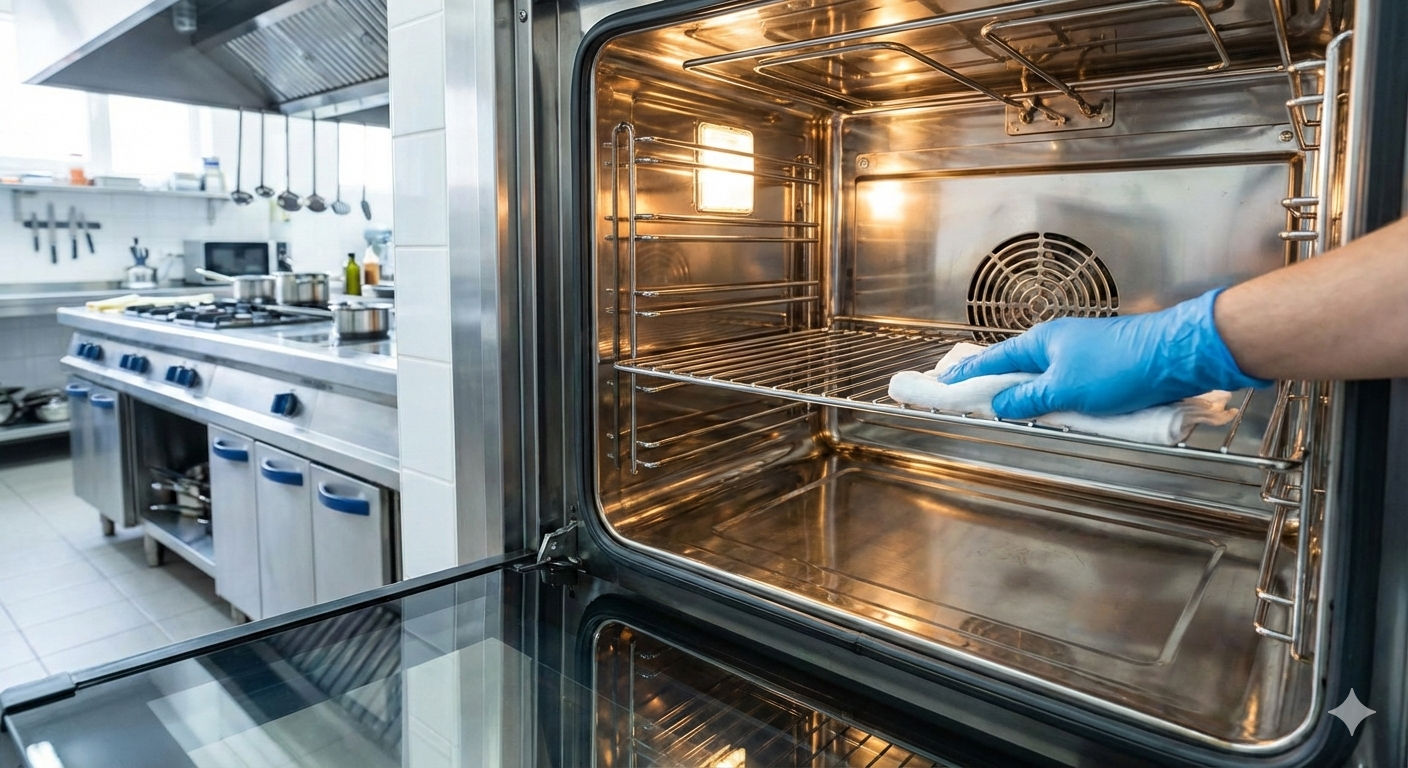
Oven Clean
Take a photo of the cleaned oven
1/5
Display Quality Check
Is the display area clean and tidy?
We use public forms for job applications — it saves us so much admin
App Store Review
Public Forms
Turn any work template into a public form
Share a link to any checklist and let anyone fill it in — no login needed. Perfect for job applications, customer feedback, incident reports, and more.
Cleaner — Job Application
Full Name
Email Address
Phone Number
Tell us about your experience
When can you start?
Sarah Mitchell
2 mins ago
James Thornton
1 hour ago
Priya Patel
3 hours ago
Ryan O'Brien
Yesterday
Lucy Chen
Yesterday
Poppi flags issues I would never have spotted on my own
Capterra Review
AI-Powered Alerts
Poppi spots missed tasks and recurring issues automatically
Poppi tracks checklist completion, flags repeated misses, highlights issue trends, and sends daily summaries so nothing slips through the cracks.
Poppi
8:15 AMClosing checklist missed 3 times this week...
Kitchen Team
7:55 AMEmma: Opening checklist done
Front of House
YesterdayJane: Issue flagged — fridge temp

Evening Shift
YesterdayTrevor: Deep clean rescheduled
Debbie Taylor
MonAll done for today

All Staff
MonTom: Stock take is in for Friday
The closing checklist has been missed 3 times this week on the evening shift. Would you like me to send a reminder?
8:15 AMYes please, that would be great
8:17 AMRecurring issue detected:
4 reports about the dishwasher this month. It might need a maintenance check.
9:00 AMI'll book the engineer for Thursday
9:05 AMThe evening team's completion rate has dropped to 67% this week. They've missed the deep clean and 2 closing checklists.
5:00 PMI'll have a word with him tomorrow
5:04 PMDaily summary for today:
8 of 10 checklists complete. 14 photos uploaded. 2 issues flagged.
6:00 PMThanks Poppi, I'll follow up on the 2 missed ones
6:05 PMFrequently asked questions
- Do I have to use the Work features?
- No. Work management is completely optional. If you only need shift scheduling, communication, or the knowledge hub, skip it. Use what you need, leave what you don't.
- What types of work elements can I use?
- Checklists, text inputs, number inputs, photo uploads, yes/no choices, multiple choice, ratings, signatures, date pickers, and more. You can combine them in any order within a single work template.
- Can I require photo evidence for specific tasks?
- Yes. Add a photo element to any step in a work template. Staff take photos directly from the app and they're timestamped and saved to your audit trail.
- Can I schedule work to repeat automatically?
- Yes. Set a work template to repeat daily, weekly, or on any custom schedule. It appears on your team's task list automatically at the time you've set.
- Can I carry out work on an ad hoc basis?
- Yes. As well as repeating work schedules, you can create a workform, which is a single one-off piece of work. Useful for anything that doesn't need to repeat, like incident reports, one-off inspections, or ad hoc tasks.
- Can staff report issues while completing work?
- Yes. Staff can flag an issue on any work element. The issue is logged with the context of which work item it came from, and Poppi can notify the people who need to know.
- Can I see who completed what and when?
- Yes. Every submission is timestamped and attributed to the person who completed it. You get a full activity audit trail showing what was done, when, and by whom.
- Can I attach instructions to each task?
- Yes. Every work element can include a description with step-by-step instructions. Staff see the instructions on their phone as they work through each step.
- What are public forms?
- Any work template can be turned into a public form with a shareable link. Anyone can fill it in without a Pilla account. Useful for job applications, customer feedback, incident reports, and supplier forms.
- What happens when work is overdue?
- Poppi can send alerts at intervals you choose, for example 15, 30, or 60 minutes after the deadline. You pick who receives the alert: the team, the managers, or specific people.
- Can I require a signature at the end of a work item?
- Yes. Add a signature element to any step. Staff sign on their phone screen and the signature is saved to the audit trail.
- Can I use it for audits and inspections?
- Yes. Many teams use work templates for health and safety audits, food safety inspections, fire safety checks, and regulatory compliance. Every submission is timestamped with photo evidence and a full audit trail.
- Can I export completed work?
- Yes. You can export work by tag or work by team as a CSV file.